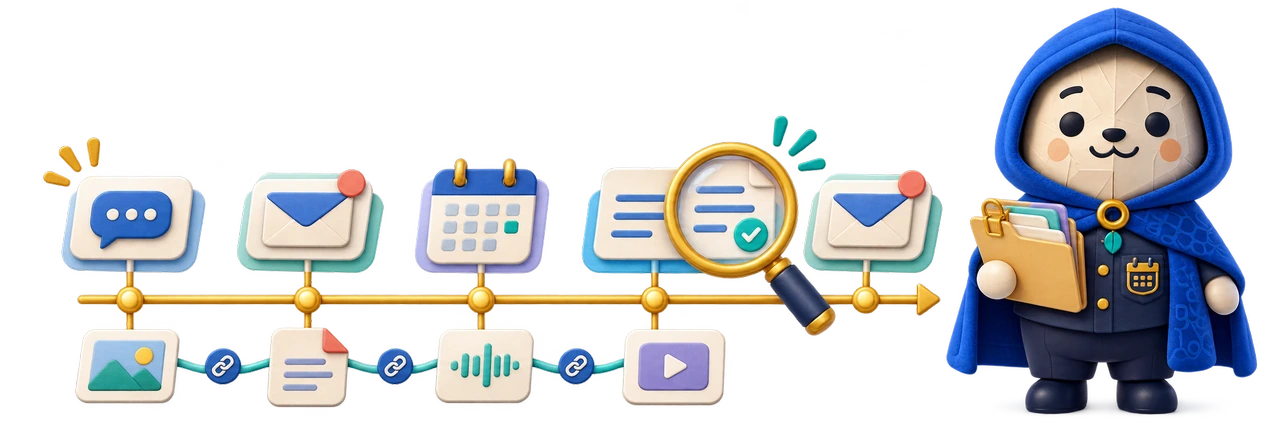
Here's What Happened helps a reviewer follow what was said, what surrounded it and how the displayed record relates to its source.
A search result can find the right sentence and still leave the wrong impression. A preceding question, later correction or change of speaker may matter just as much. Here's What Happened gives a quotation somewhere to go when somebody asks to see the conversation around it.
The local proof of concept connects imported Teams records to searchable messages and expandable context. Its wider direction keeps raw payloads and transformation information alongside the readable version. The interface supports interpretation without claiming that a match proves an allegation or that an export contains everything.
What it is designed to do
The capabilities, in detail.
Make conversation context easier to inspect without replacing original records with an isolated quotation or an automated interpretation.
Search with a route back to context
The documented viewer places search results beside the surrounding discussion. Selecting a result centres the context on that message, while earlier and later records can be expanded. Full-text search, participant filters, conversation selection and date ranges provide different ways into the material without making the search snippet the final reading.
Preserve the payload behind the display
The ingestion design retains original message payloads and provenance while deriving readable text. Repeated records are associated with the message rather than silently discarded as irrelevant duplicates. The reviewer can inspect the relationship between the displayed content and the underlying records instead of relying only on a cleaned-up transcript.
Clarify participants without rewriting them
A participant legend supports readable names, roles, colours and reviewer notes. Those annotations are separate from source identifiers and names. The distinction matters when a display name changes, several people share similar names or a reviewer needs a convenient label without changing what the source actually recorded.
Keep the case portable and access deliberate
SQLite provides a portable case store and full-text index; a local PHP viewer supplies the interface. Login and audit controls are documented in the prototype. These do not establish independent security assurance, collection completeness or forensic validity. The case still requires appropriate handling.
Export an explainable excerpt
The proof-of-concept documentation describes CSV context exports and printable exhibits with timestamps, participant information and optional payload detail. Browser printing can create a PDF. These are derived views for review and discussion, with selected boundaries that should remain visible, rather than replacements for the original data or guarantees of admissibility.
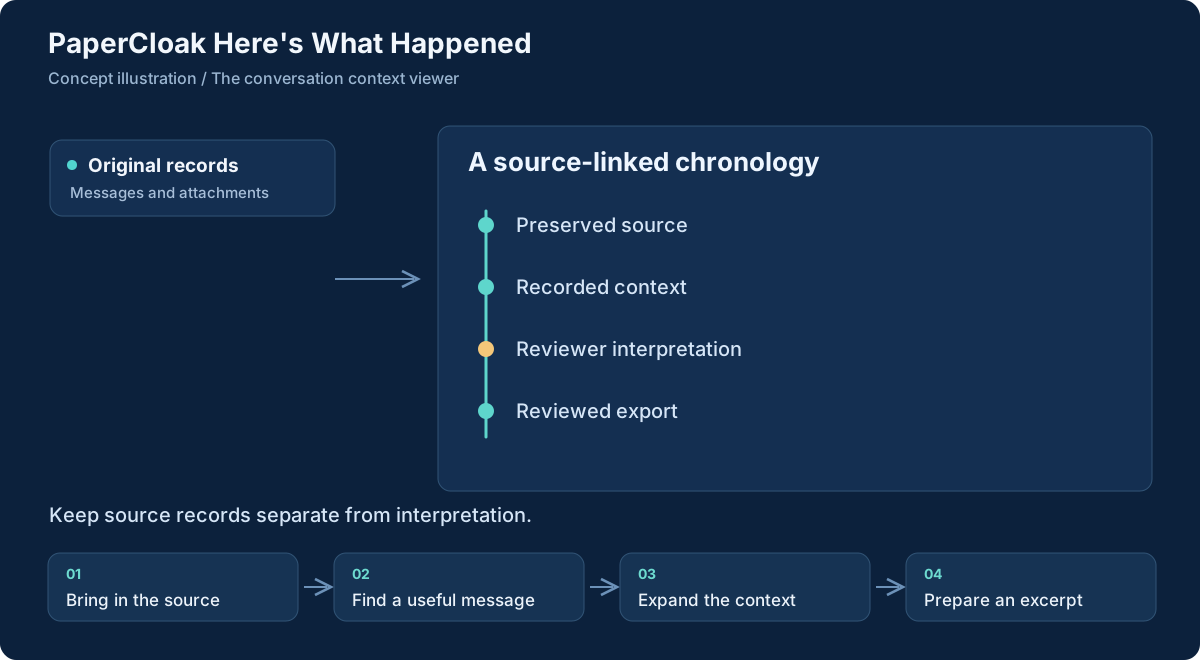
Workflow concept, illustrated. Select the graphic to open it at full size.
From input to useful result
How the work moves through.
01
Bring in the source
Use a supported source adapter on a preserved copy. Keep the original records available alongside the resulting case store.
02
Find a useful message
Search words or phrases, then narrow by participant, conversation or date when those fields help locate the relevant discussion.
03
Expand the context
Read the surrounding exchange, inspect provenance and distinguish source content from participant labels or reviewer notes.
04
Prepare an excerpt
Choose a context window, review its boundaries and save a derived output with enough information to locate its source.
A concrete example
Check a quotation before drawing a conclusion
A reviewer receives a short quotation from a long discussion. Searching for the phrase finds its message; opening the context reveals the question it answered and a later clarification. Reading those records together can support, qualify or contradict the first impression without requiring the reviewer to hunt through an unstructured dump.
The reviewer then prepares a bounded excerpt and writes any interpretation separately. Missing records, ambiguous identity mappings and the limits of the imported source remain relevant. A clear presentation helps somebody assess the material; it does not decide disputed facts on their behalf.
What comes out of the work
Results you can understand.
A searchable case view
Readable messages connected to conversation windows and preserved source information.
Contextual excerpts
Selected CSV or printable views with explicit boundaries and participant information.
An inspectable source trail
Payloads and provenance that help explain how a displayed message was obtained.
Built around
Principles that shape the product.
Source-preserving ingestion and normalization
Search linked to expandable conversation context
Inspectable provenance and derived exports
Connected work
A clear role in the family.
PaperTrail shares the concern for traceable sources and transformations.
Ink can support separately authored commentary without turning that commentary into the original record.
Worth understanding
Questions and boundaries.
Is this a certified forensic product?
No. The available implementation is a local proof of concept. Independent validation, source completeness and any use in a formal proceeding require separate assessment.
Can it import every chat platform?
No. The first documented adapter targets a particular Teams IndexedDB export. Additional formats and recovered stores are broader directions, not universal compatibility claims.
Do filters establish what happened?
No. Search and preset filters help locate material. They can omit relevant context or return irrelevant matches; a person must inspect the records and evaluate their meaning.