Animation Studio is the proposed authoring interface within PaperCloak Animations, giving creators a stage for shaping motion without managing the mathematics underneath it.
A banner can look simple and still require considerable engineering. Positioning glow, framing a ring and adapting to smaller screens involve decisions that creators should not have to express as code. Studio's direction begins with the visual result and makes technical detail available when useful.
The proposed experience follows five steps: Output, Look, Layers, Motion and Export. A large stage reflects the destination; a contextual inspector explains the selection. The initial focus is banners and backgrounds. Full video editing, collaboration and advanced timelines belong beyond that first scope.
What it is designed to do
The capabilities, in detail.
Choose the output, build the look, arrange the layers and take an editable animation package with you.
Design in the actual output shape
Choose a banner, contained effect, background or full-screen scene and specify its dimensions. The stage should show that frame, with safe areas for text and logos. Composing for the destination helps reveal layout problems before export.
Build a look from understandable recipes
Start with a calm, festive, minimal or cinematic treatment, then refine palette, movement and brightness. Simple mode should expose recognizable creative decisions; Advanced mode reveals the underlying values without replacing the scene or changing its meaning.
Arrange layers directly
The intended layer workflow includes selection, movement, duplication, visibility, locking and ordering. Rings, particles, glow and a limited fireworks family would provide the first composition vocabulary. Keyboard movement and numeric positioning should complement dragging, making precise placement possible without requiring every interaction to happen through a pointer.
Preview movement with context
Play, pause and restart belong beside the stage, along with fit controls and a reduced-motion preview. Help should explain whether a setting changes one layer or the whole project. Sound-off defaults, low-flash alternatives and a static fallback are requirements for the proposed experience, not claims that every export already meets them.
Keep the editable scene with the delivery
The planned handoff combines an editable JSON backup with a ZIP containing runtime files and readable usage instructions. Import should parse and validate the project before applying it; a bad file must leave current work intact. External assets, unsupported settings and compatibility limits need to be visible before a creator trusts the output.
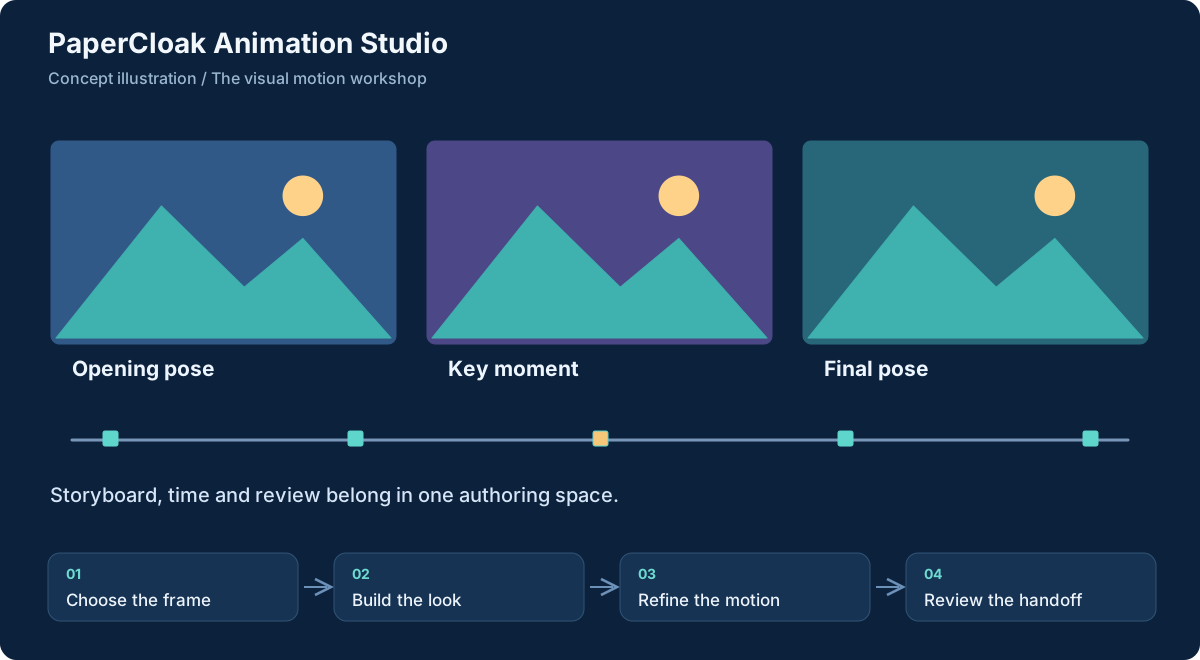
Workflow concept, illustrated. Select the graphic to open it at full size.
From input to useful result
How the work moves through.
01
Choose the frame
Set dimensions and reserve space for surrounding content before adding decorative layers.
02
Build the look
Choose a recipe and palette, then arrange effects around the message.
03
Refine the motion
Tune movement, check the static alternative and remove effects that compete with the content.
04
Review the handoff
The intended export step validates the scene and packages its editable backup with instructions. Actual target-browser review remains necessary before production use.
A concrete example
A launch banner that leaves room for the message
A small team needs a wide launch banner with a heading on the left and a gentle ring moving behind a product image on the right. In the intended Studio workflow, the creator starts with a 1280 x 260 frame, marks the text area and selects a restrained motion recipe. The scene grows around the message instead of forcing the message over an unrelated animation.
After checking pause and reduced-motion views, the intended package would retain the editable scene alongside browser files and instructions. A developer could inspect and test it in the real layout. This complete production export remains a design goal.
What comes out of the work
Results you can understand.
Editable scene backups
A proposed versioned project record containing dimensions, layers, settings and asset references for later revision.
Portable animation packages
The intended HTML, CSS and JavaScript handoff, accompanied by usage instructions and explicit dependencies.
Reviewed composition choices
A deliberate frame, text-safe layout and motion treatment that can be checked against the destination.
Built around
Principles that shape the product.
A stage shaped like the real destination
Simple controls with optional precision
Portable scenes and explicit export checks
Connected work
A clear role in the family.
Animations is the proposed runtime and scene foundation beneath Studio.
Flow is an adjacent presentation direction; its relationship to Studio remains a product decision.
Worth understanding
Questions and boundaries.
Is Studio separate from Animations?
It is a distinct authoring experience within the proposed Animations platform. This page explains the editor; the Animations page explains the runtime and effect model.
Can it render video today?
Video capture and richer publishing formats are later directions. The first proposed deliverable is an editable scene and browser package, not a finished video-production suite.
Would a Cloud account be required?
The documented direction is local-first creation and portable export. Optional connected services should not become a requirement for ordinary local authoring.