CMS connects authoring, reusable blocks, forms and deliberate publishing without mandatory hosting.
A developer-built site can have the right framework and business logic while making ordinary content changes awkward. PaperCloak CMS proposes a useful editing and publishing workflow without discarding the structure that already works.
The concept has two deliberate modes. Universal Embed would add managed content blocks to an existing site while the host keeps its application responsibilities. Native CMS would use the same block foundation while also managing pages, routes, navigation and publishing. Sharing a content model should make those choices coherent without disguising their different deployment boundaries.
What it is designed to do
The capabilities, in detail.
Give content owners publishing tools while retaining the site's framework and business logic.
Add managed blocks to an existing site
Universal Embed proposes explicit Cloak Block elements connected through a browser script. A developer would place the intended content slots rather than rely on fragile guessing about the page structure. The existing site would retain its framework, styling, routes, APIs, deployment and business logic while selected content becomes manageable.
Build a native publishing workflow
Native CMS would take responsibility for pages, templates, navigation, SEO, redirects and publishing as well as blocks. Its first useful milestone should prove the complete cycle: create content, preview it, publish it and revise it. A broad list of future controls is less valuable than one reliable end-to-end path.
Keep content structured and reusable
Versioned Cloak Blocks could represent rich text, Markdown, images, announcements, galleries, FAQs, forms and custom developer content. Stable identifiers would connect content to its destination. The goal is reusable meaning and deliberate updates, with a defined schema rather than unrelated fragments copied into every page.
Treat forms as a real boundary
The wider direction includes validated submissions, conditional flows, assignments and human approvals. Public rendering access must stay separate from draft access, administration and sensitive submissions. File uploads, consent and workflow actions need explicit handling; a public site key should never become permission to read private material or trigger privileged changes.
Make storage a choice
The proposed adapter model includes local or flat-file storage, Git-backed publishing, databases, object storage and service integrations. Static export is another intended delivery option. These are design directions, not a compatibility checklist already implemented. Optional PaperCloak Cloud hosting should complement the product rather than become the price of using ordinary content workflows.
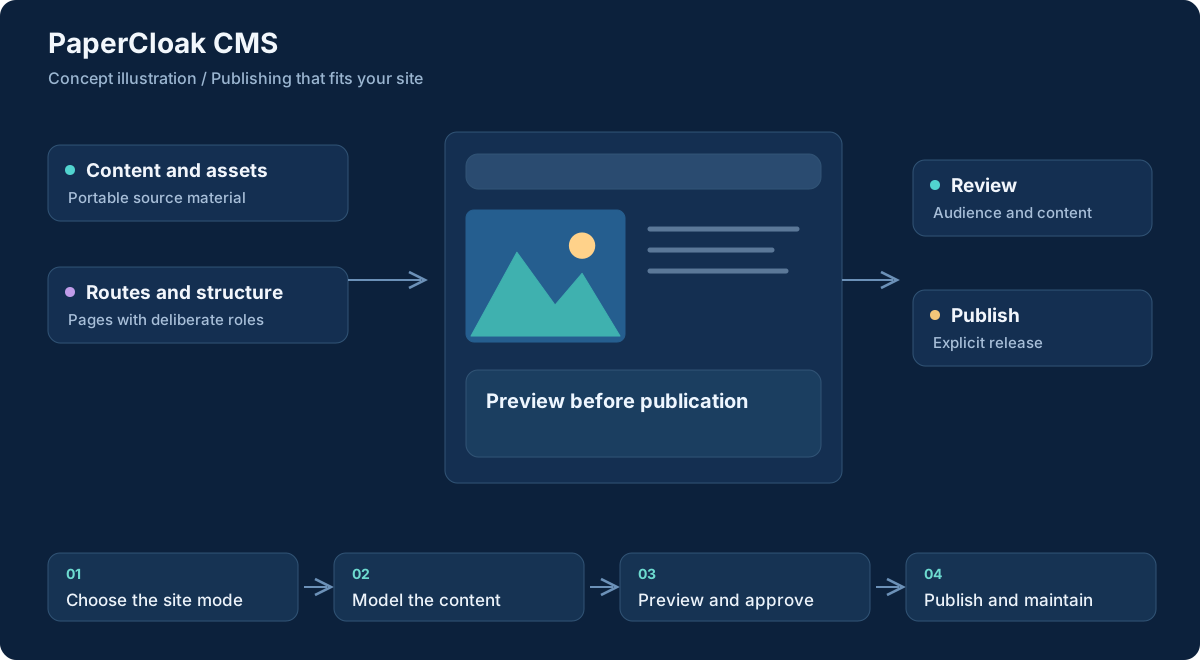
Workflow concept, illustrated. Select the graphic to open it at full size.
From input to useful result
How the work moves through.
01
Choose the site mode
Decide whether an existing application needs managed blocks or a new site needs native page and routing ownership. Establish that boundary before integration.
02
Model the content
Define the first blocks, identifiers and editable fields. Bring authored text and visual assets into a structure that matches the destination.
03
Preview and approve
Review the proposed content and its rendering before publication. Keep drafts, public content and administrative authority clearly separated.
04
Publish and maintain
Deliver through the chosen adapter or export path. Revisit the same blocks for later edits, with explicit publishing actions and version rules.
A concrete example
Managed service content without rebuilding the application
A small organization has a developer-maintained website with custom appointment logic. Its staff need to update service descriptions, opening information and an announcement banner. In the Universal Embed direction, the developer could mark those content slots while leaving appointment behavior and the existing deployment intact.
A staff member would prepare a draft, preview the actual blocks and approve publication through the configured workflow. A new contact form would require its own submission and access rules. If the organization later chose Native CMS, page ownership would change explicitly rather than being silently assumed by the embed integration.
What comes out of the work
Results you can understand.
Versioned content blocks
Structured text, media and component definitions with stable destinations.
Deliberate published updates
Reviewed content delivered through the site's chosen integration or export path.
Defined publishing workflows
Clear draft, approval, submission and deployment responsibilities for each mode.
Built around
Principles that shape the product.
Universal Embed and Native CMS modes
Structured, versioned Cloak Blocks
Explicit publishing and replaceable storage adapters
Connected work
A clear role in the family.
Ink supplies authored content and Art supplies visual assets through planned integrations.
Cloud may provide optional storage or hosting; it is not a prerequisite for the CMS direction.
Worth understanding
Questions and boundaries.
Must an existing site move to PaperCloak hosting?
No. Universal Embed is specifically intended to retain the host site. Optional hosting is a separate choice.
Is CMS a replacement for Ink?
Ink is the authoring workspace. CMS is intended to organize content for websites and manage how approved material becomes public.
Are the listed adapters and forms available now?
No. They are specification directions. Supported integrations, security behavior and operational limits must be established by a working implementation.